
Why the Awesome Habits App is a Game Changer for 2026
#
The awesome habits app is one of the top-rated habit trackers available for Apple devices in 2026, earning a 4.8 out of 5 stars rating from 860 users. Here’s a quick look at how the leading no-subscription habit trackers compare:
| App | Best For | Pricing | Platforms |
|---|---|---|---|
| Awesome Habits | Apple ecosystem users | Free / $22.99 lifetime | iPhone, iPad, Mac, Apple Watch |
| Streaks | Minimalist tracking | One-time purchase | iOS, macOS |
| HabitNow | Android users | Free / one-time | Android |
| Habit Tracker | Structured challenges | Free / one-time $9.99 | iOS, Android |
Most of us have been there. You set a goal, start strong, and then somewhere around week three, life happens and the streak breaks. Sound familiar?
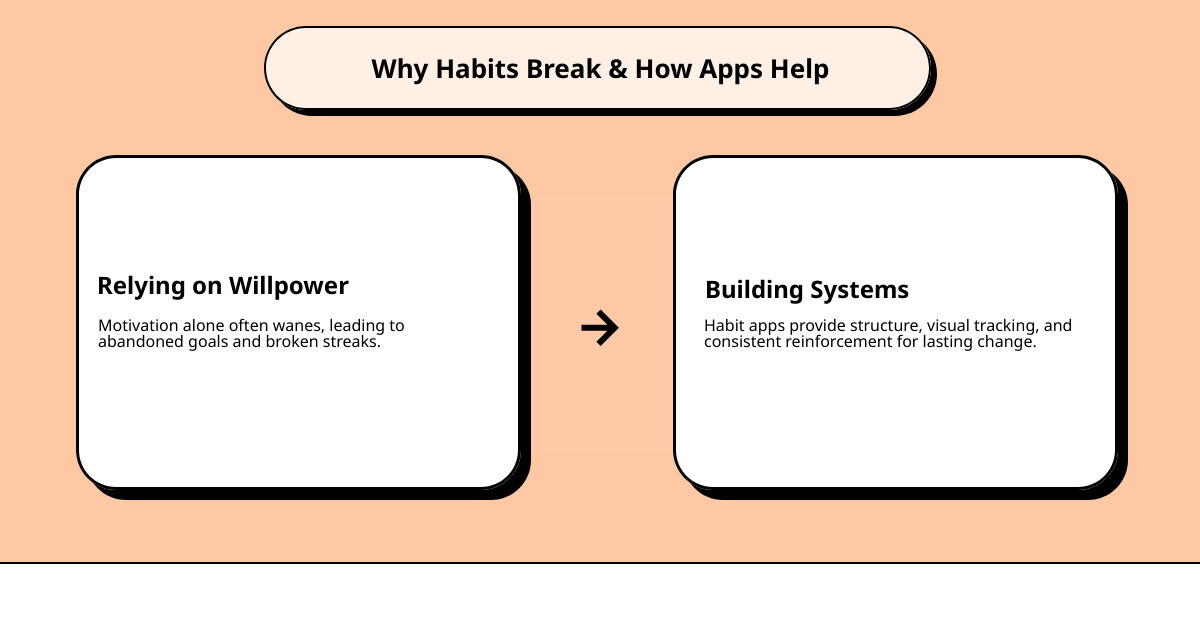
The problem usually isn’t willpower. It’s the system.
Habit tracking apps exist to replace motivation with structure. Instead of relying on how you feel each morning, you get a visual record of your progress — and that record becomes its own motivation. One blogger put it perfectly: the dopamine hit from checking off a habit is genuinely hard to beat.
But not all habit trackers are built the same. Some are buried in ads. Others lock basic features behind expensive subscriptions. And many just don’t fit into a busy adult’s day-to-day life.
This guide cuts through the noise. We compare the best options available right now, with a close look at what makes each one worth your time — or not.
In productivity tools, the awesome habits app has carved out a unique space by shifting the focus from “reaching a destination” to “building a system.” Created by developer Michal Tuma, the app is built on a simple but profound philosophy: don’t just set goals; build habits.
We often see this in our work at Primedy Health. People come to us in Mount Airy with massive, unmanageable goals that lead to quick burnout. The awesome habits app tackles this by encouraging small, easy changes that compound into remarkable results over time. It’s not about running a marathon tomorrow; it’s about the habit of putting on your shoes today.
What makes it a standout in 2026 is its deep integration with the latest Apple technologies. While other apps feel like a port from a website, Awesome Habits – Habit tracker for iPhone, iPad, Mac and Apple Watch feels like a native part of the OS. It fully supports visionOS 2.0, allowing you to track your routines in a spatial environment, and utilizes on-device Apple Intelligence to suggest habit ideas privately.

The app’s design is centered around a “big circle” for your overall daily progress and smaller circles for individual habits. Filling that big ring provides a genuine burst of joy, reinforcing the behavior through positive feedback. Whether you are trying to read more, meditate, or reduce your coffee intake, the app provides the visual momentum needed to stay consistent.
Comparing the Top No-Subscription Habit Trackers
One of the biggest frustrations for users in 2026 is “subscription fatigue.” We’ve seen a massive shift in community discussions, particularly on platforms like Reddit, where users are actively hunting for apps that offer a one-time purchase.
In the Best NO subscription habit tracker? : r/productivity discussion, the awesome habits app is frequently cited as the premier choice for those within the Apple ecosystem. While it follows a freemium model, the Lifetime Premium purchase at $22.99 is a breath of fresh air for those tired of monthly bills.
Here is how it stacks up against the other heavy hitters:
- Streaks: This is the “minimalist” king. It is a one-time purchase (usually around $9.99) and focuses on a very clean, icon-based interface. It’s great if you want zero friction, but it lacks some of the deeper statistical analysis found in Awesome Habits.
- HabitNow: A fantastic option for our friends who aren’t on Apple devices. It offers a robust free version and a one-time pro upgrade. It excels at categorization and task-based habits.
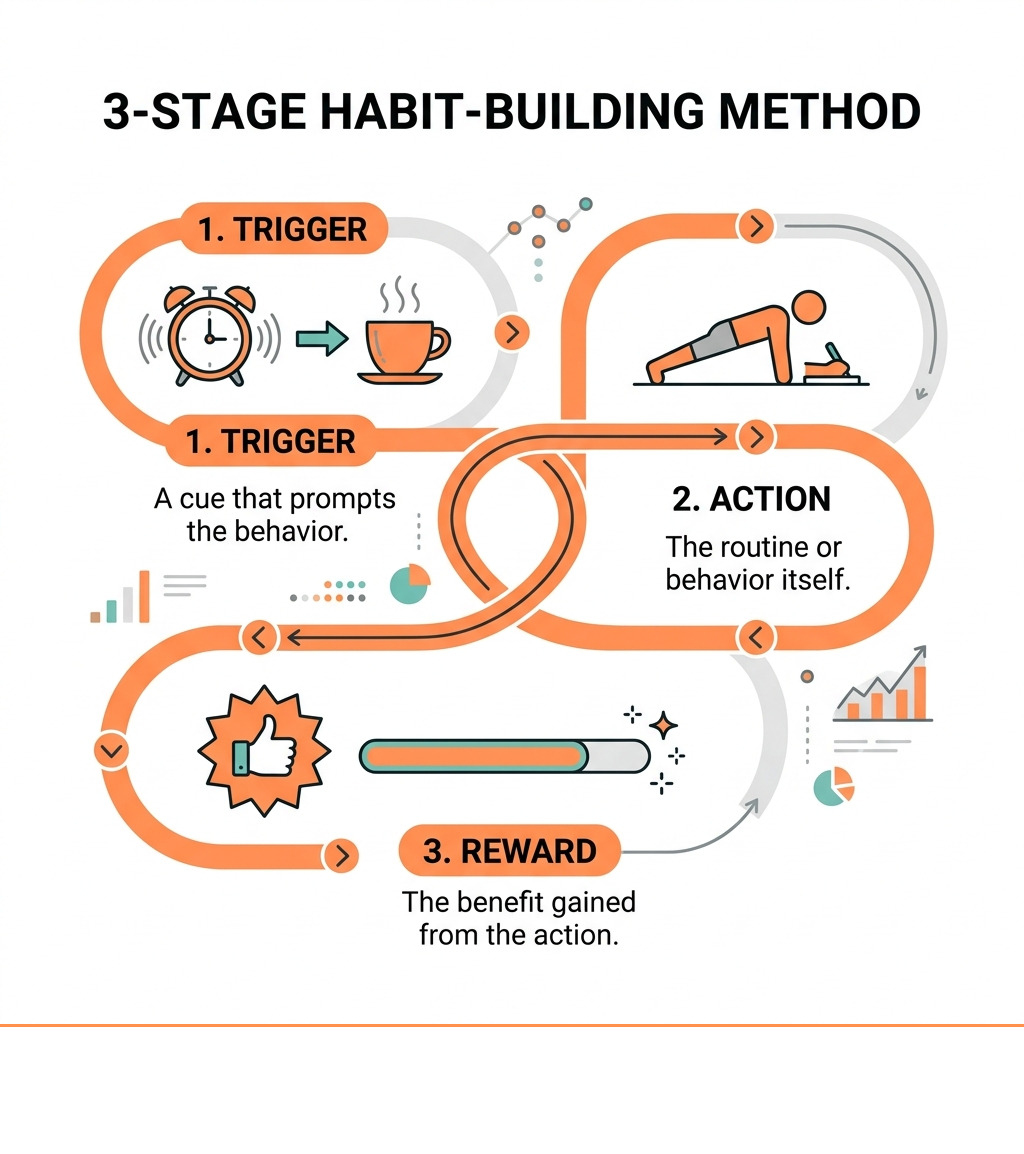
- Habit Tracker (Habit Diary): Known for its “30-day challenges,” this app uses a scientifically-backed three-stage method to cement new behaviors. However, users often note that the free version is heavy on ads, which can break the focus required for habit building.
The awesome habits app wins on “ecosystem synergy.” It syncs seamlessly across iPhone, iPad, Mac, and Apple Watch. If you check off a habit on your wrist while walking through downtown Frederick, it’s instantly updated on your Mac back at the office.
Maximizing Your Progress with Advanced Ecosystem Features
If you want to keep your streaks alive, automation is your best friend. The less you have to manually “log,” the more likely you are to stick with it. This is where the awesome habits app truly shines through its integration with Apple Health (HealthKit).
According to an Awesome Habits Review 2025 – Features, Pricing, Hacks and Tips, the app can automatically check off habits based on your health data. If your goal is to walk 10,000 steps or complete 20 minutes of exercise, the app pulls that data directly from your Apple Watch. You don’t even have to open the app; the habit completes itself once the criteria are met.
Beyond health, the app utilizes:
- Siri Shortcuts: You can set up automations to switch habit lists based on your location or time of day. For example, your “Morning Routine” list can automatically appear on your Lock Screen when your alarm goes off.
- Interactive Widgets: You can check off habits directly from your Home Screen or StandBy mode without launching the full app.
- Live Activities: Perfect for time-based habits like reading or meditation, showing your progress in real-time on the Dynamic Island.
Privacy is another major pillar. The developer states that “Data Not Collected” is the standard. Your habits are stored in your private iCloud and encrypted, meaning no one—not even the developer—can see what you’re tracking.
Customizing Your Awesome Habits App Experience
A habit tracker should feel personal. If the interface is boring, you won’t want to use it. As noted in a review by Awesome Habits | Devon Dundee, the customization options are vast.
The app offers over 2,500 icons and emojis, plus support for Genmoji and custom stickers. You can assign specific colors to different categories of your life—perhaps green for health habits and blue for productivity.
The flexibility extends to how you measure success. You aren’t limited to a simple “Yes/No” checkmark. You can track:
- Counts: Number of glasses of water or pages read.
- Time: Minutes spent meditating or practicing a skill.
- Negative Habits: Tracking how many days you’ve gone without a bad habit, like nail-biting or excessive caffeine.
- Flexible Schedules: You can set habits for specific days (e.g., “Gym” on Monday, Wednesday, Friday) rather than every single day, which helps prevent “streak guilt” on planned rest days.
Is the Awesome Habits App Worth the Lifetime Purchase?
While you can download the app for free, the Premium version unlocks the full power of the system. The pricing as of April 2026 is:
- Monthly: $1.99
- Yearly: $12.99
- Lifetime: $22.99
For the price of a few fancy coffees in Carroll County, the Lifetime Premium gives you unlimited habits and advanced statistics. These statistics aren’t just for show; they include heatmap visualizations that help you identify which days of the week you struggle most.
The app also allows for “retrospective logging.” If you forgot to track your workout yesterday, you can easily go back into the history tab and update it. It even supports “overachievement”—if your goal was 8 glasses of water but you drank 10, you can log that extra effort to see your true progress over time.
Frequently Asked Questions about Habit Tracking
Can I add logs to previous days in Awesome Habits?
Yes. Unlike some rigid trackers that penalize you for a late entry, the awesome habits app makes it easy to update past records. Simply navigate to the history tab or the specific habit’s calendar view to add or edit entries for previous days. This ensures your data remains accurate even if you had a busy day and forgot to open the app.
Does Awesome Habits collect any user data?
No. One of the strongest selling points for the awesome habits app is its commitment to privacy. The developer, Michal Tuma, has designed the app so that no data is collected. Everything is stored locally on your device and synced via your private, encrypted iCloud account. Even the “Apple Intelligence” features for habit ideas are processed on-device.
Which Apple devices support Awesome Habits in 2026?
As of April 2026, the app is highly optimized for the latest hardware and software:
- iPhone: iOS 18.0 or later.
- iPad: iPadOS 18.0 or later.
- Mac: macOS 15.0 or later.
- Apple Watch: watchOS 10.0 or later (including Smart Stack support).
- Apple Vision Pro: visionOS 2.0 or later.
Conclusion
Building a better life doesn’t happen through giant leaps; it happens through the small, consistent actions we take every day. The awesome habits app provides the perfect digital scaffolding to support those actions, especially for those of us deeply embedded in the Apple ecosystem.
At Primedy Health, we believe that objective progress tracking is the key to long-term success. Whether you are working with us in-person in Mount Airy or through our online programs, having a tool that visualizes your wins is invaluable. We focus on structured, sustainable programs that fit into real lives, and a high-quality habit tracker is a perfect companion to that journey.
If you are ready to take your health and consistency to the next level, we are here to help. Our coach-led strength training and health coaching are designed to turn your goals into lasting habits.